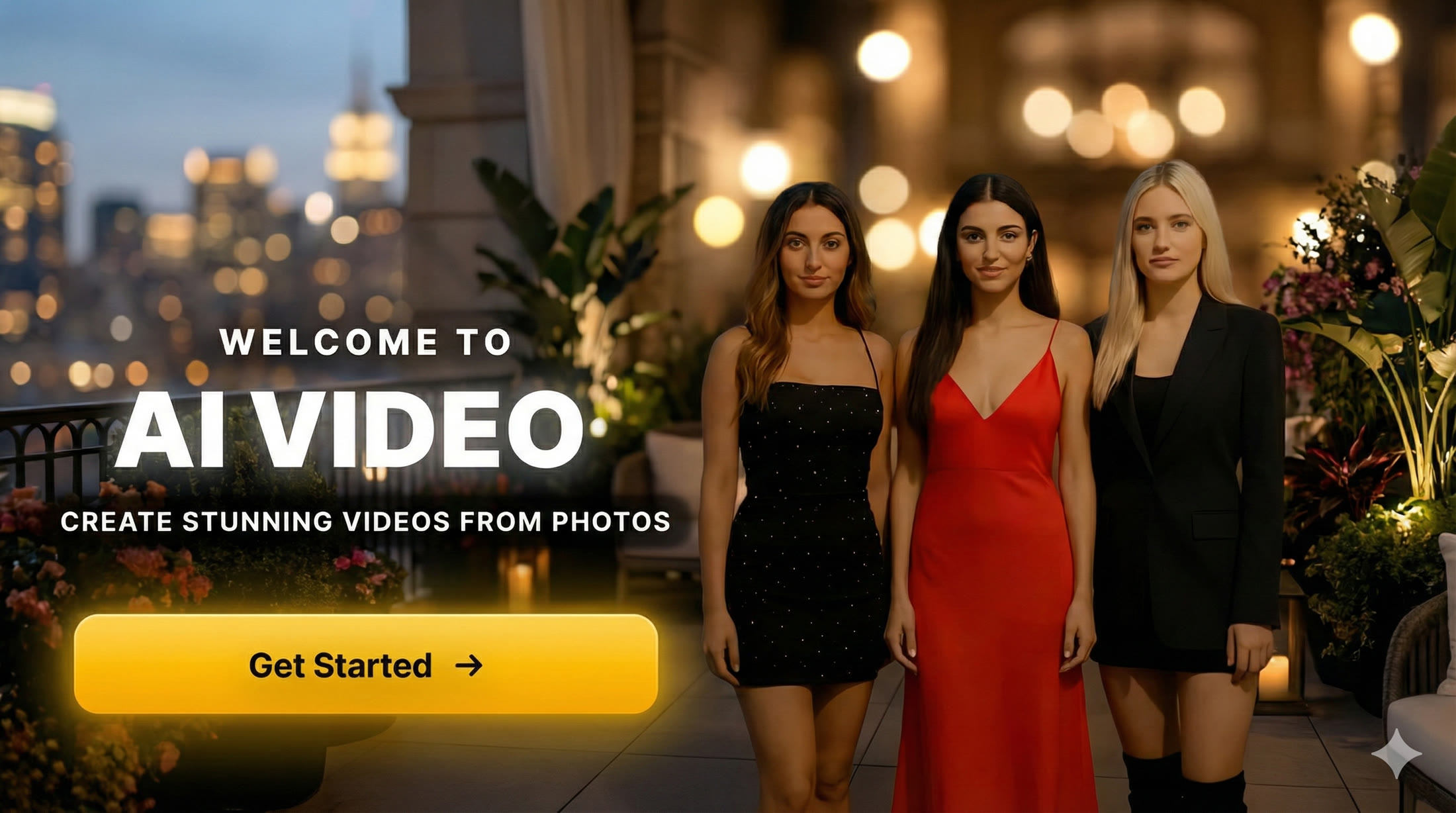
You know that feeling when you post a photo and it just... sits there?
No engagement.
No shares.
Just another static image lost in an endless scroll.
Meanwhile, your mate posts a dancing video and gets 50,000 views overnight.
Here's the thing - video content gets 1200% more shares than text and images combined.
And now, you can turn any photo into a video in under a minute.
No video editing skills required. No expensive software. Just AI-powered magic that makes your photos move, dance, and come alive.
Why Video Content Absolutely Dominates Social Media in 2026
Look, the numbers don't lie.
TikTok has over 1 billion active users watching videos.
Instagram Reels get 22% more engagement than regular posts.
YouTube Shorts are pulling in 70 billion daily views.
The algorithm loves video content because people watch it longer, share it more, and come back for seconds.
But here's what most people don't realize:
You don't need to film anything new.
That selfie you took last week? That's viral video material.
That product photo for your business? That's a promotional video waiting to happen.
That family portrait from the holidays? That's shareable content that'll get your relatives commenting.
The Problem with Traditional Video Creation
Creating video content used to mean:
- Learning complicated video editing software - Premiere Pro, Final Cut, DaVinci Resolve
- Spending hours on a single clip - Cutting, transitions, effects, audio
- Hiring expensive creators - £50-500 per short video
- Filming new content constantly - Setting up shots, lighting, multiple takes
That's a massive barrier for most people.
AI photo-to-video technology changes everything.
What is AI Photo-to-Video Technology? (Without the Tech Jargon)
Right, let me explain this simply.
Traditional animation required artists to manually create movement frame by frame.
AI photo-to-video uses deep learning neural networks that have analyzed millions of videos to understand how people actually move.
Here's the process:
- Upload your photo - The AI analyzes faces, bodies, objects, and background
- Choose an action preset - Pick from dance, sports, expressions, etc.
- Neural network generation - AI creates realistic motion based on patterns it's learned
- Output video - High-quality 5-second clip ready for social media
The entire process takes 30 seconds to 2 minutes.
No editing. No technical knowledge. Just pick a photo and an action.
Ready to Create Your First Viral Video?
Transform any photo into engaging video content with our AI Video app. 50+ action presets, instant generation, perfect for TikTok and Instagram.
Download AI Video Now →50+ Actions Across 10 Categories: Your Complete Arsenal
This is where it gets exciting.
Not all animated photos are created equal.
Different occasions call for different actions. A wedding photo needs elegant movement. A fitness photo needs energetic action. A product photo needs attention-grabbing motion.
Here's the complete breakdown of what you can do:
Dance & Movement
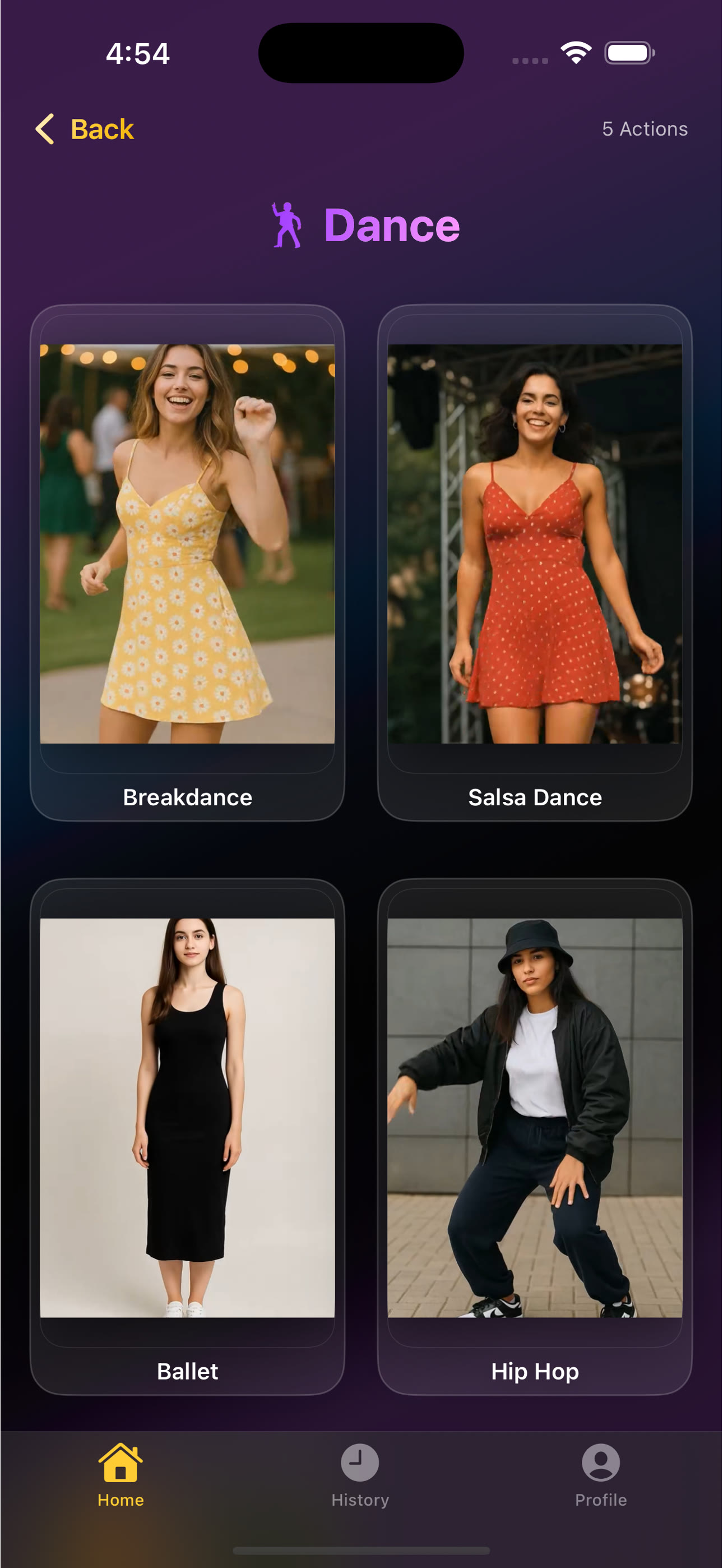
Perfect for: TikTok trends, birthday celebrations, party content, fun personal videos
Actions include: Hip hop, salsa, ballet, breakdance, Bollywood, K-pop choreography
Pro tip: Dance actions work best with full-body photos where the person is centered
Sports & Fitness
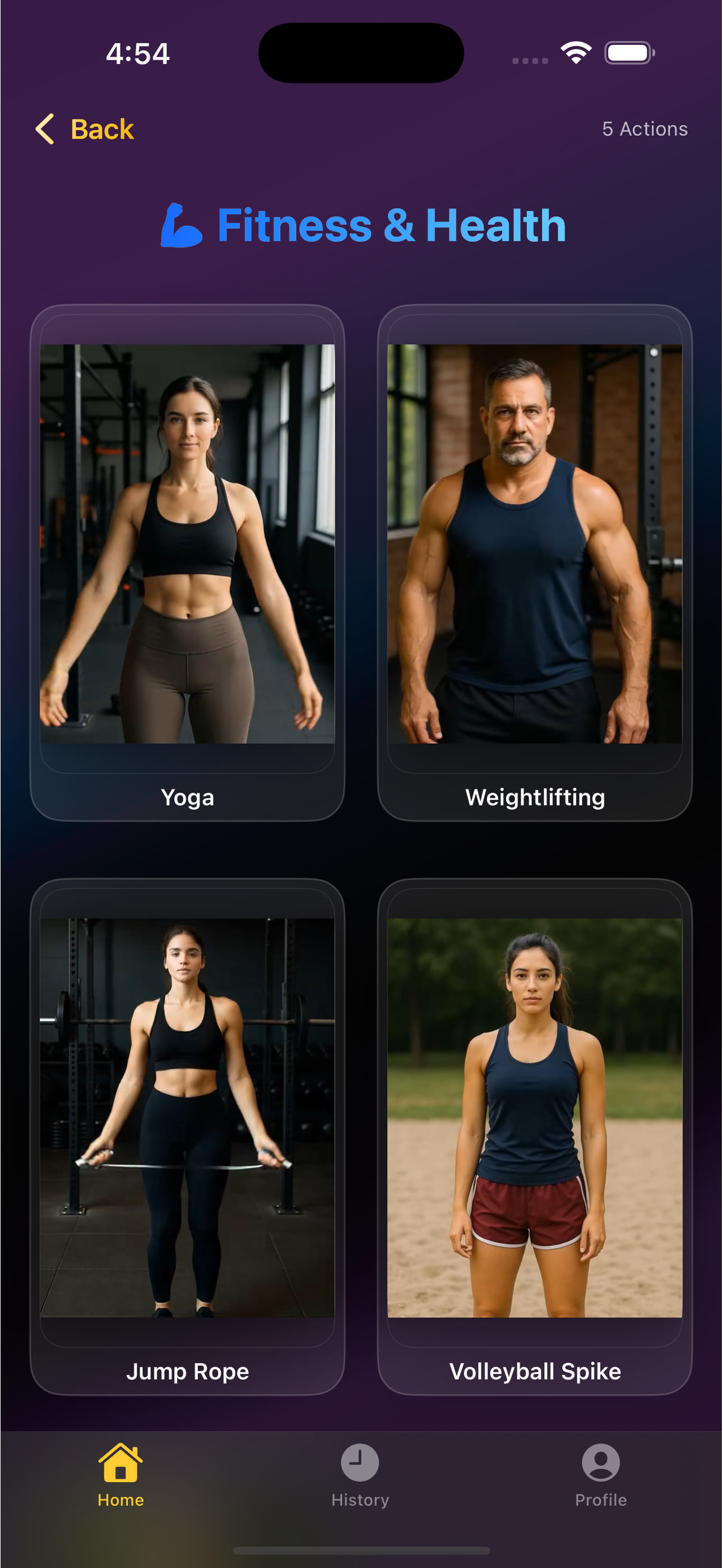
Perfect for: Fitness influencers, personal trainers, sports content, motivation posts
Actions include: Basketball dunks, soccer celebrations, boxing, cycling, running, yoga flows
Pro tip: Sports actions create dynamic motion perfect for before/after transformations
Fashion & Runway
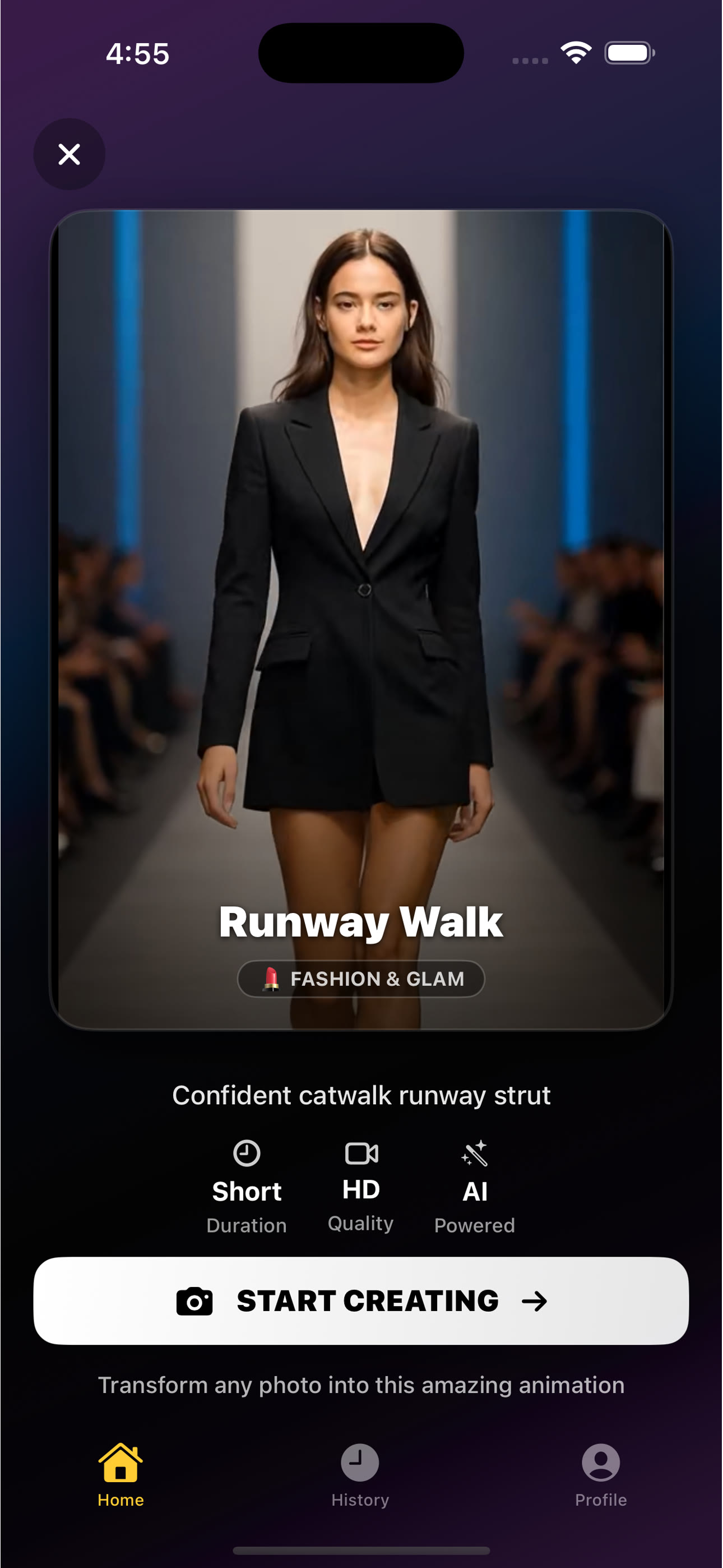
Perfect for: Fashion brands, style influencers, outfit posts, product showcases
Actions include: Runway walks, photoshoot poses, model turns, fashion show movements
Pro tip: Fashion actions work brilliantly for e-commerce product videos
Expressions & Reactions
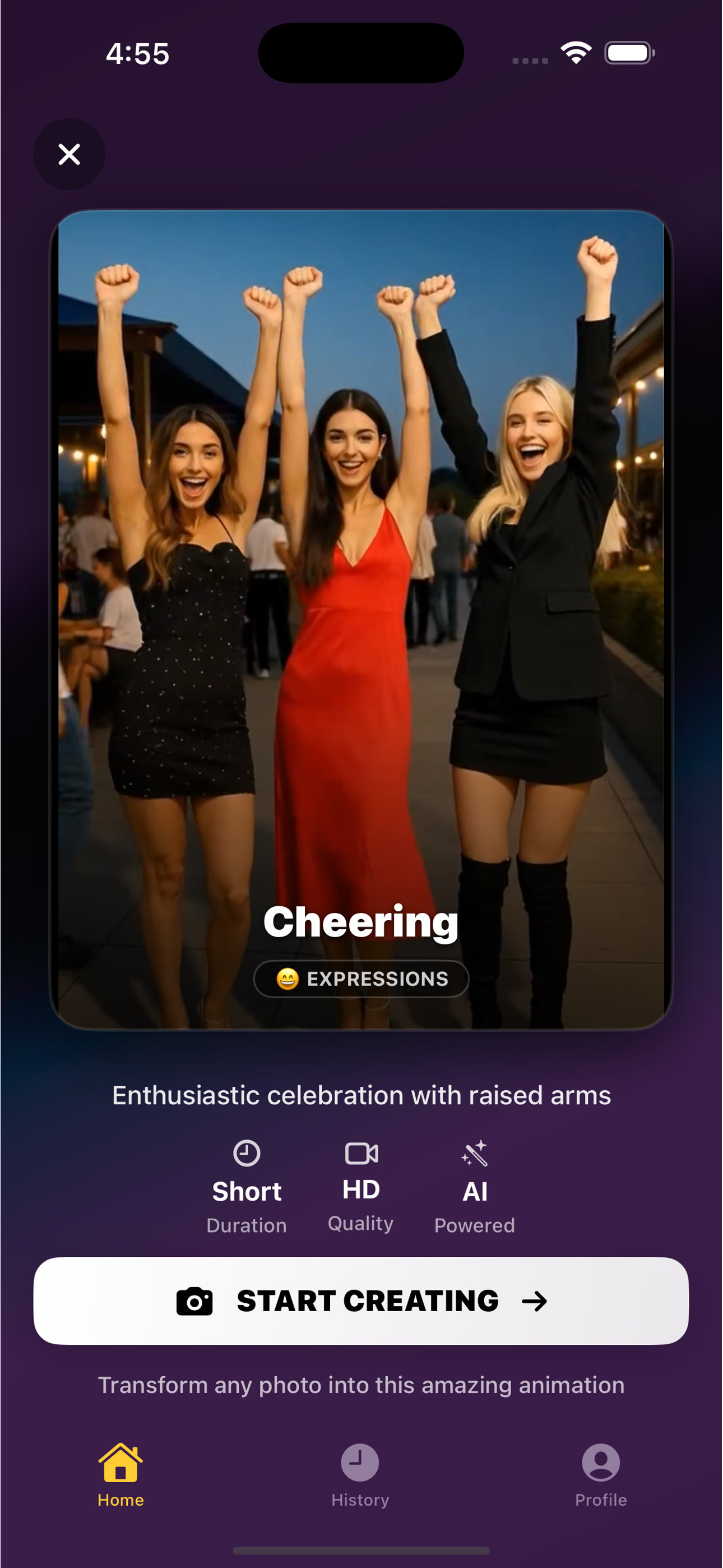
Perfect for: Reaction content, storytelling, emotional posts, relatable videos
Actions include: Laughing, cheering, waving, shocked faces, funny reactions
Pro tip: Expression actions are perfect for memes and relatable content
Party & Celebrations
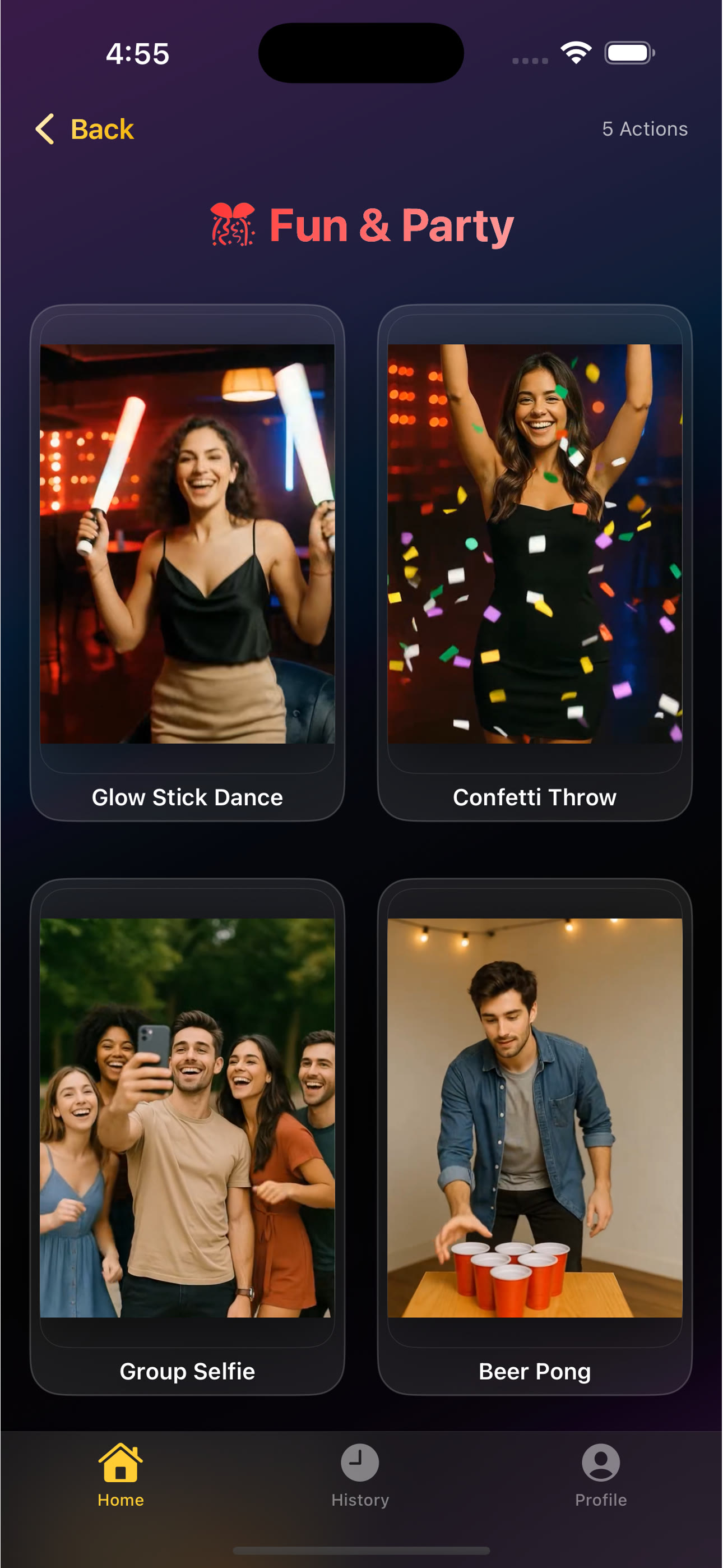
Perfect for: Birthday posts, weddings, holiday content, event highlights
Actions include: Group dancing, confetti moments, celebration moves, party vibes
Pro tip: Party actions make event photos shareable and memorable
Trending Actions
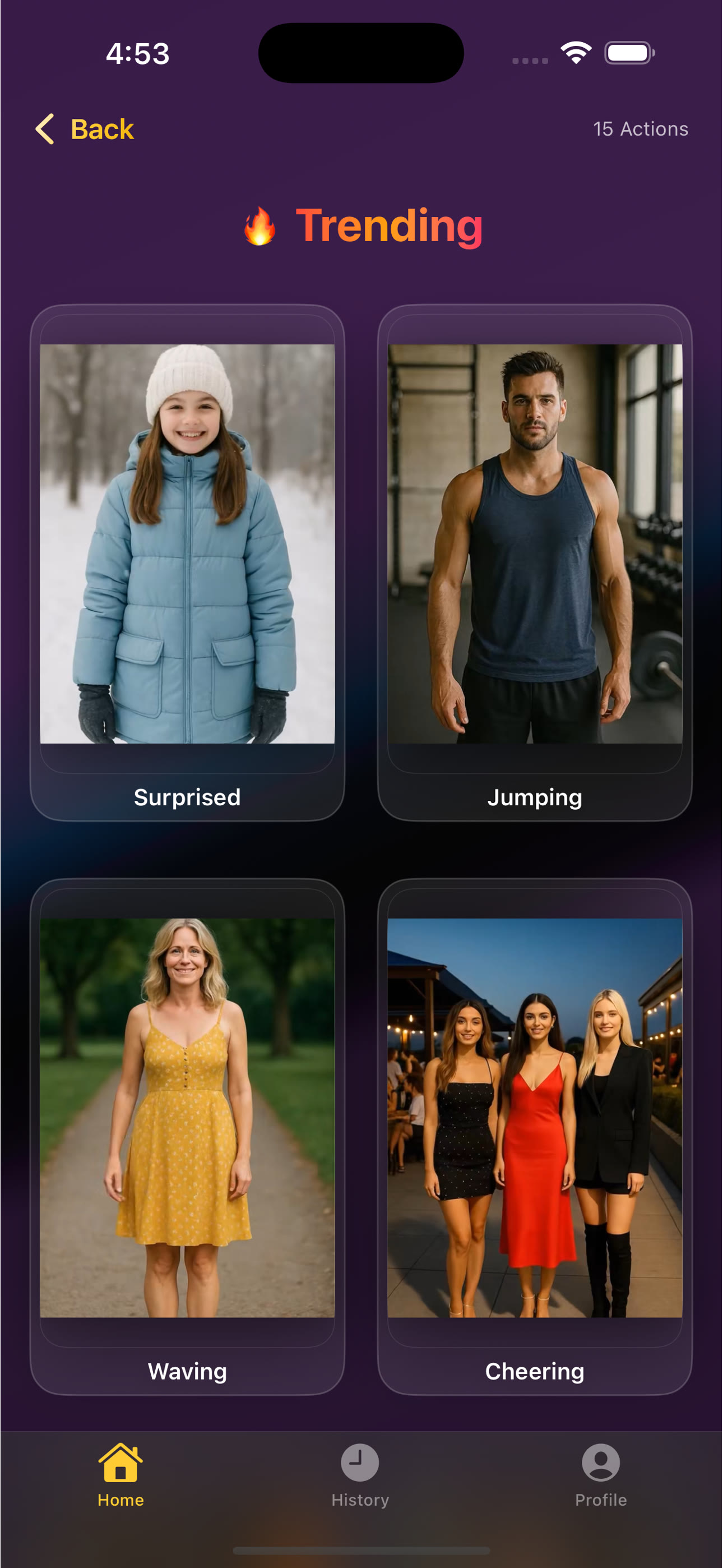
Perfect for: Jumping on viral trends, challenge participation, staying relevant
Updated regularly: New trending actions added based on current viral content
Pro tip: Trending actions help you ride the wave of popular content
Plus: Musical, Seasonal, Travel, and Everyday Actions
Beyond these major categories, you also get:
- Musical performances - Singing, guitar, piano, drumming, band performances
- Seasonal content - Christmas, New Year, Halloween, birthday-specific animations
- Travel adventures - Hiking, surfing, exploring, city vibes, vacation moments
- Everyday lifestyle - Coffee sipping, reading, working, daily life poses
That's over 50 hand-crafted action presets designed specifically for high-quality, consistent results.
Your Step-by-Step Guide to Creating Viral Videos
I'm going to walk you through the exact process.
This is stupidly simple, but I want to make sure you get it right the first time.
Step 1: Download and Sign In (2 minutes)
First things first - grab the AI Video app from the App Store.
It's available on iPhone and iPad, and it works on both.
Important: The app requires Sign in with Apple for all users.
Why?
Because it's the most secure authentication method available. Your email stays private, your data stays encrypted, and you're not creating yet another password to remember.
The sign-in takes literally 10 seconds.
Step 2: Choose Your Photo (Tips for Best Results)
Here's where quality matters.
The AI can work with any photo, but better source material = better results.
Photo quality tips:
- Resolution: Use high-quality photos (not blurry or pixelated)
- Lighting: Well-lit photos work significantly better than dark ones
- Subject position: Centered subjects with clear visibility get best results
- Full-body vs portrait: Dance/sports actions need full-body; expressions work with portraits
- Background: Simpler backgrounds produce cleaner results
Don't overthink it though.
I've seen amazing results from quick smartphone snapshots.
Step 3: Browse Action Categories
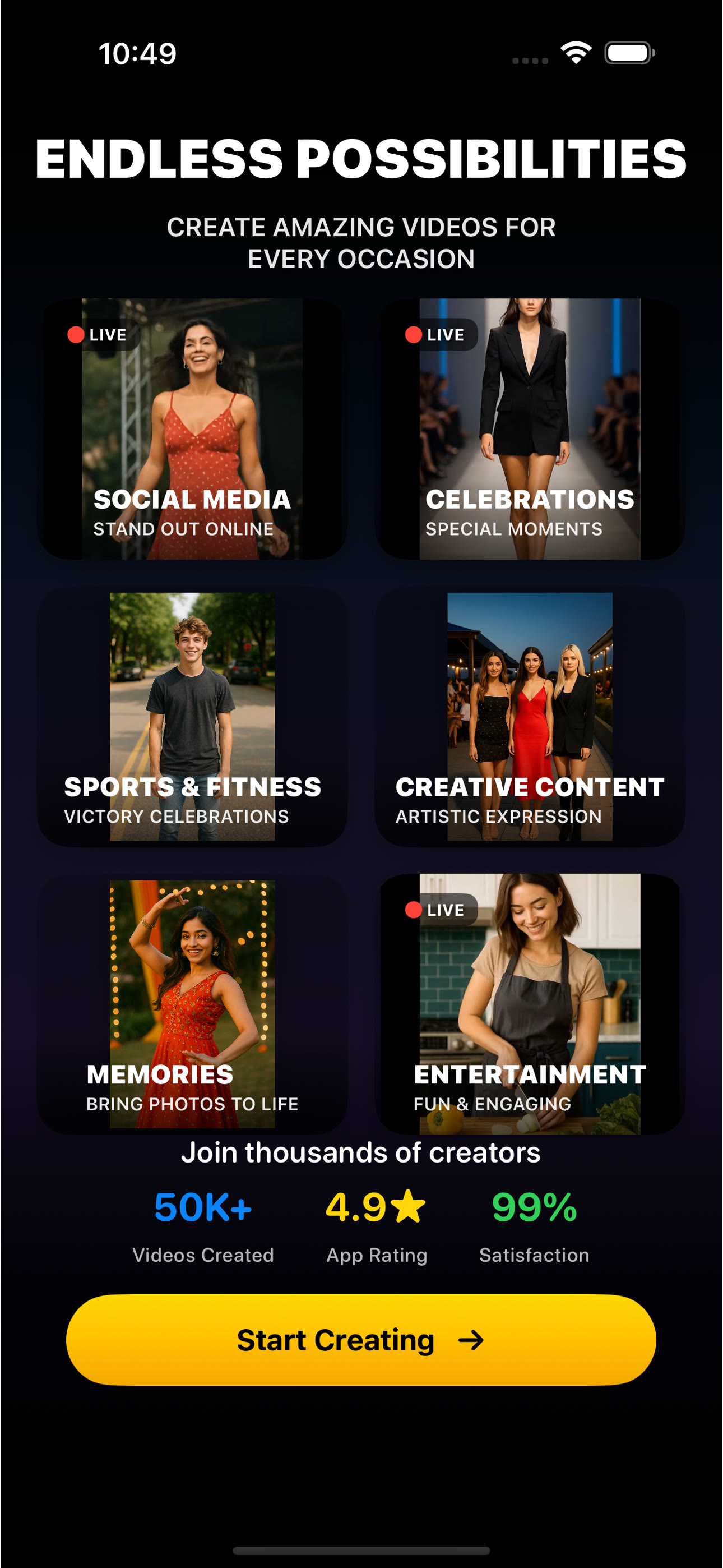
This is where the Netflix-style browsing comes in.
Scroll through trending rows. Each action has a preview animation so you know exactly what you're getting.
You can:
- Browse trending actions - See what's popular right now
- Filter by category - Jump straight to dance, sports, fashion, etc.
- Preview animations - Tap any card to see how the action moves
- Favorite actions - Save your go-to presets for quick access
The interface is incredibly intuitive.
If you can use TikTok, you can use this.
Step 4: Generate Your Video
Once you've selected your action, tap "Generate Video".
The AI processes your photo in the cloud using advanced neural networks.
Generation time: Typically 30 seconds to 2 minutes.
The app uses automatic failover between multiple AI providers, which means if one service is slow or unavailable, it automatically switches to backup systems.
Translation: Higher success rates and faster results.
Watch: Real-time demo of AI Video transforming a photo into an animated video
While the video generates, you can browse more actions or prepare your next photo.
Step 5: Save and Share to Social Media
Your video is ready!
Now you can:
- Save to Photos - Download directly to your camera roll
- Share instantly - One-tap sharing to Instagram, TikTok, Twitter, Facebook
- View in History - All your generated videos stored locally
- Generate another - Try different actions with the same photo
The output is a high-quality 5-second MP4 video at 480p, 24fps.
Perfect dimensions for social media. No watermark (on paid plans).
Start Creating Viral Videos Today
Join thousands of creators using AI Video to transform their photos into engaging social media content. Free plan available with 2 videos per day.
Download AI Video →Best Practices for Creating Viral Videos (Pro Tips)
Look, anyone can create a video.
But creating content that actually goes viral? That requires strategy.
Here's what I've learned from analyzing thousands of successful AI-generated videos:
Photo Selection Strategy
1. Match action to photo type
Don't use a head-shot for a full-body dance. Don't use a wide-angle group photo for facial expressions. Match makes sense.
2. High contrast works better
Photos with clear subject separation from background produce cleaner animations. The AI needs to identify what to animate.
3. Emotion matters
Photos with existing emotion or personality amplify when animated. A boring, blank expression stays boring.
Platform-Specific Optimization
For TikTok:
- Use trending actions to ride viral waves
- Add trending audio in TikTok after uploading
- Post during peak hours (6-10 PM)
- Use relevant hashtags (#AIVideo, #PhotoAnimation)
For Instagram Reels:
- Fashion and lifestyle actions perform best
- Add text overlays in Instagram's editor
- Use location tags for local reach
- Post consistently (2-3 Reels per week)
For YouTube Shorts:
- Attention-grabbing actions (sports, reactions)
- Add captions for watch-without-sound viewers
- Include #Shorts in title and description
- Hook viewers in first 2 seconds
Timing and Trends
The app updates trending actions regularly based on what's working across social platforms.
Check the "Trending" section weekly to see new additions.
Jump on trends early - the first wave gets the most reach.
Real Use Cases: Who's Using AI Video (And How)
This isn't just for influencers.
I've seen incredibly creative uses from all types of users:
Content Creators & Influencers
Obvious use case, but worth mentioning.
Creators are using AI Video to:
- Repurpose old photos into new content
- Create daily posts without filming every day
- Test different styles before investing in full production
- Maintain consistent posting schedules
Real example: Fashion micro-influencer turned 30 archived outfit photos into a month of Reels content. Engagement up 340%.
Small Businesses & Brands
Product photos are static.
Animated product photos get 5x more clicks.
Businesses are using AI Video for:
- Animated product showcases
- Team introduction videos
- Event highlight reels
- Social media advertising content
Real example: Local coffee shop animated their barista photos into dance videos. Went viral locally, foot traffic up 60%.
Personal Use (Friends & Family)
This is where it gets fun.
People are creating:
- Birthday surprise videos
- Family reunion memories
- Holiday cards that actually move
- Inside jokes and memes
Real example: Someone animated their grandfather's old war photo doing a modern dance. Family group chat exploded.
Event Memories
Weddings, graduations, holidays.
Static event photos are nice.
Animated event photos become shareable moments that relatives actually engage with.
Pricing Plans: Free to Pro (Choose What Fits)
Let's talk money.
The app offers multiple pricing tiers depending on your needs:
Free Plan ($0/day)
- 2 videos per day
- Access to all 50+ actions
- Save to Photos
- AdMob rewarded ads for extra videos
Perfect for: Testing the app, casual users, occasional content
Starter Weekly ($8.99/week)
- 25 videos per week
- No ads
- All action categories
- Priority support
Perfect for: Regular content creators, small business owners, consistent posters
Pro Weekly ($12.99/week)
- 40 videos per week
- 3-day free trial
- No ads
- Priority processing
- Credit packs available
Perfect for: Influencers, agencies, power users, businesses
Credit Packs (One-Time Purchase)
Need extra videos beyond your plan? Buy credit packs:
- 15 videos: $5.99
- 25 videos: $8.99
- 50 videos: $17.99
Credits never expire. Use them whenever you need extra capacity.
💡 Which Plan Should You Choose?
Start with the free plan to test it out. If you're posting content regularly (3-4 times per week), upgrade to Starter. If you're a serious creator or business posting daily, Pro is the obvious choice. The 3-day trial lets you test Pro risk-free.
Frequently Asked Questions
How long does video generation take?
Typically 30 seconds to 2 minutes. The app uses automatic failover between multiple AI providers for higher success rates and faster processing. You can browse other actions or prepare your next photo while waiting.
What types of photos work best?
High-quality, well-lit photos with clear subjects produce the best results. Full-body photos work best for dance and sports actions. Portrait photos work great for expressions and reactions. Avoid blurry, dark, or heavily filtered images.
Can I use these videos on TikTok, Instagram, and YouTube?
Absolutely! The videos are formatted perfectly for TikTok, Instagram Reels, YouTube Shorts, and all other social platforms. They're standard MP4 files at 480p, 24fps in vertical format. No watermark on paid plans.
Is my data private and secure?
Yes. The app requires Sign in with Apple, which is the most secure authentication method. Your photos are processed securely in the cloud and then deleted. Generated videos are stored locally on your device only. We don't sell or share your data.
What's the video quality and format?
Videos are high-quality 5-second MP4 clips at 480p resolution, 24fps, in vertical format optimized for mobile viewing. Perfect quality for social media without massive file sizes.
How many videos can I make with each plan?
Free plan: 2 videos per day. Starter Weekly: 25 videos per week. Pro Weekly: 40 videos per week. You can also purchase credit packs (15, 25, or 50 videos) for additional capacity. Credits never expire.
Do videos have watermarks?
Free plan videos have a small watermark. Starter and Pro plan videos are completely watermark-free, giving you clean, professional results perfect for branding and commercial use.
Can I use this for commercial purposes?
Yes! Paid plan subscribers can use generated videos for commercial purposes including business marketing, client work, and advertising. Just make sure you have rights to the original photo.
The Bottom Line: Static Photos Are Dead, Animated Videos Are the Future
Look, I'm not going to sugarcoat this.
If you're still posting static photos in 2026, you're leaving massive engagement on the table.
The algorithm prioritizes video content.
People scroll past photos.
They stop for videos.
And now, you have the power to turn any photo into viral video content in under a minute.
No video editing experience needed.
No expensive software.
No filming new content.
Just your existing photos + AI-powered motion = engagement-driving videos.
I've seen creators go from 100 views per post to 100,000 views per post just by switching from static photos to animated videos.
I've watched small businesses triple their social media ROI by animating product photos.
I've witnessed personal posts go viral simply because movement captures attention that static images can't.
The technology exists.
It's incredibly easy to use.
And it's available right now on your iPhone or iPad.
The only question is: are you ready to create content that actually gets seen?
Because AI photo-to-video isn't just a cool feature - it's the competitive advantage that separates viral content from forgotten posts.
Transform Your Photos into Viral Videos Today
Stop letting your photos get scrolled past. Start creating video content that captures attention, drives engagement, and gets shared. Try AI Video free with 2 videos per day.